Kawaii Wallpaper
VÕ CHÍ SANGPersonalization
0.00.00 Reviews
- Version
- 1.0
- Installs
- 10.00K
- Age Rating
- Everyone
Screenshots
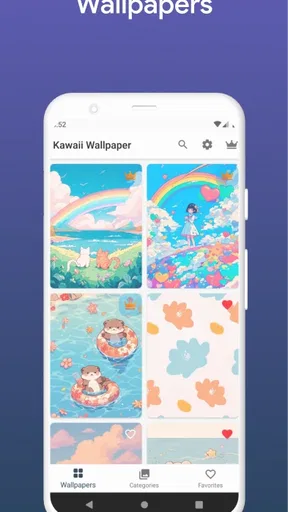
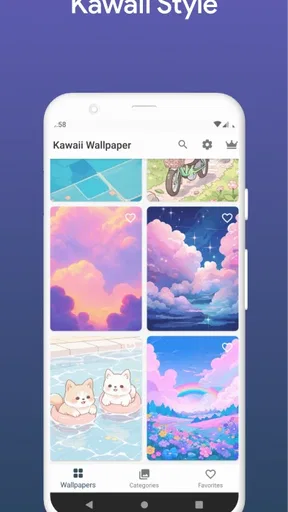
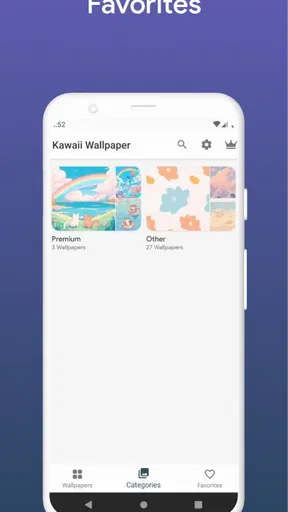
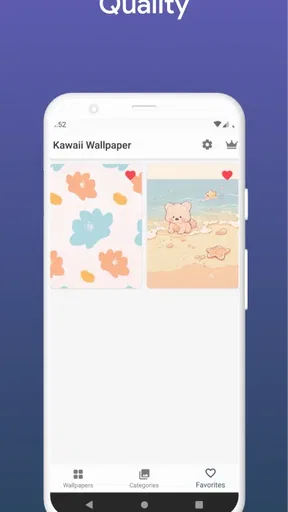
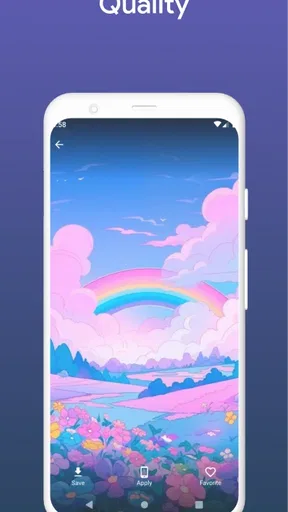
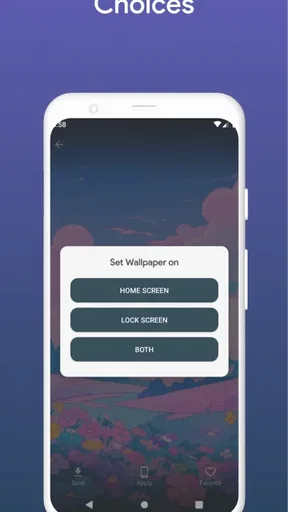
Our Review of Kawaii Wallpaper
 Analysis by Appyee
Ever get that feeling when you look at your phone and think, "Wow, I really need to spruce up this screen?" Well, let me introduce you to Kawaii Wallpaper, an app that has transformed my phone into a pastel paradise. If you're into all things cute, colorful, and charming, then buckle up, because this app might just be your new best friend. 🐱🎀
Readability and finding a wallpaper
For a wallpaper app, the important first test is whether I can browse without getting lost. Here, the appeal is easy to understand: the focus is on cute, colorful imagery, and browsing is described as straightforward, with categories such as animals, cartoons, and nature. That gives me a practical starting point when I want a particular mood rather than an endless, undirected scroll.
I would approach those categories with a specific use in mind. For a busy home screen, I’d look for a design with a quieter area behind icons; for a lock screen, a more detailed image can work because there is usually less competing text. Before saving anything, I’d check the preview against the screen I plan to use it on. A design that looks lovely as a full image can become visually crowded once app icons and clock text sit on top of it.
This is a personalization app from developer VÕ CHÍ SANG, and its identity is deliberately narrow: it is for people who want a cute visual theme, not a general image browser. That focus can make choosing easier if pastel art and kawaii motifs are already your taste. If you prefer photographs, minimalist gradients, or a wallpaper that matches a work theme, a broader wallpaper library may be a better fit.
Motor and sensory considerations
The simple browsing and preview workflow should suit people who want to make a quick choice without learning a complicated editor. Saving a favorite with a tap is a useful step when I want to compare a few options before applying one. I’d save a small shortlist first, then preview each candidate on the intended screen, rather than repeatedly changing the wallpaper while deciding.
The visual style is also something to weigh carefully. Pastel colors and cute illustrations can feel cheerful, but a bright or highly decorated image may compete with icons, widgets, and notification text. If visual clutter bothers you, I’d choose a design with fewer focal points and check whether important screen labels remain easy to pick out. A darker or less busy alternative may be more comfortable for someone sensitive to high-contrast patterns or crowded imagery.
Editing controls such as brightness, contrast, and filters can help bring an image closer to personal preference. I’d use them gently: increasing contrast may make a picture pop, yet can also make small details feel harsher, while lowering brightness could make lock-screen text easier or harder to distinguish depending on the image. A good practical check is to preview the wallpaper with the usual icons visible and decide whether the screen still feels calm and readable.
Using it in everyday situations
Imagine choosing a wallpaper during a short break, then wanting the same look to feel tidy when you return to work. I’d begin with a calm design for the home screen, where I need to locate apps quickly, and reserve a more playful image for the lock screen. The preview step helps make that decision before I commit, while favorites provide a place to keep alternatives for another day.
For a shared device or a phone used around children, the all-ages rating makes the app easier to consider as a family-friendly personalization choice. That does not mean every image will suit every person’s taste, so I’d still browse together if the phone is shared. Someone who uses a phone for reading, navigation, or frequent notifications may prefer restraint over a highly detailed design; the goal is a screen that feels personal without making everyday tasks harder.
Compared with a system’s built-in wallpaper choices, a dedicated kawaii collection offers a more focused aesthetic. Compared with general wallpaper apps, the trade-off is the same focus: it may be quicker to find cute artwork, but it is less useful if you want a wide mix of photography, abstract art, and seasonal themes. If your priority is making a one-off collage or drawing a design from scratch, a dedicated image editor gives more creative control than a wallpaper-focused app.
Practical limits and choosing wisely
I would not assume that every advertised customization idea is equally useful for every person. Brightness, contrast, and filters are straightforward adjustments, but mixing image elements into a unique composition is a different kind of task and may not be necessary for someone who simply wants a ready-made background. For a fast result, choosing and previewing an existing image is the more sensible workflow.
Another trade-off is how a wallpaper behaves behind a real phone layout. A striking illustration can lose its appeal when cropped or covered by widgets, so I’d preview it on the actual target screen before saving it as a final choice. If text readability matters more than decoration, I’d favor open space and softer detail rather than selecting an image solely because it looks attractive in a gallery thumbnail.
The app is free to install and is rated for Everyone. Optional in-app purchases range from twelve cents to just under twenty dollars per item, so I’d check the purchase screen before paying for anything and decide whether the free experience already meets my needs. It has over ten thousand installs, was released on August 27, 2025, and its current version is 1.0. It requires Android 6.0 or later. Those details make it a relatively new, early-version option, so I’d keep expectations measured rather than treating it as a long-established wallpaper service.
Who will enjoy it—and who may want another option
If cute illustrations, pastel color, and themed phone screens are what you enjoy, this app has a clear reason to be on your shortlist. I can see it working especially well for someone who likes changing a phone’s look with the seasons or who wants a cheerful lock screen without building an image from scratch. The category browsing and preview-first approach are useful for making a deliberate choice rather than settling for the first appealing thumbnail.
I’d skip it if I wanted a broad collection of realistic photography, highly restrained backgrounds, or extensive graphic-design tools. It is also not the right choice if decorative detail makes it harder for me to read notifications or distinguish app icons. In those cases, a plain built-in background or a general library with more varied styles is likely to serve me better.
One useful habit is to judge a wallpaper at normal phone distance, not only while zooming in on its details. I’d also compare it with my usual icon layout: a pale illustration can look charming on its own but wash out light icons, while a busy pattern can hide labels. Saving a few favorites before settling on one makes those trade-offs easier to notice without turning the process into a long editing session.
What Makes Kawaii Wallpaper Stand Out?
Picture this: a world filled with adorable animals, dreamy landscapes, and heart-melting designs. That's exactly what Kawaii Wallpaper offers. This app is a treasure trove of cuteness, featuring a wide variety of HD wallpapers that cater to every kawaii lover's wildest dreams.
A Colorful Collection at Your Fingertips
The first thing that caught my eye was the sheer variety of wallpapers. Seriously, whether you're into pastel unicorns, fluffy kittens, or whimsical donuts, there's something here for everyone. The app is regularly updated, so you'll never run out of fresh designs to explore.
Browsing through the collection is a breeze. You can filter by categories, like "Animals," "Cartoons," or "Nature," which makes finding your perfect wallpaper a piece of cake. 🍰
User-Friendly Interface
Let's talk about the user interface because, honestly, it's as smooth as butter. Navigating through the app is intuitive, making it easy for even the least tech-savvy among us to get the hang of it. You can save your favorite wallpapers with a simple tap and even share them with friends directly from the app.
One of my favorite features is the preview option. You can see how a wallpaper looks on your lock screen or home screen before committing. It's a small touch, but it makes all the difference!
Customization Galore
Another highlight is the customization options. You can adjust the brightness, contrast, or even add a cute filter to make the wallpaper truly yours. The app lets you personalize your experience, ensuring that your phone reflects your unique style.
And if you're feeling extra creative, you can mix and match elements to craft a wallpaper that's one-of-a-kind. It's all about making your phone as kawaii as possible!
Seamless Performance
Performance-wise, the app runs like a dream. I haven't experienced any lag or crashes, which is a huge plus. It's lightweight and doesn't hog your phone's resources, so you can enjoy a smooth experience without worrying about draining your battery.
Plus, the app is available on both Android and iOS, so everyone can join in on the fun!
Wrapping It Up
In a nutshell, this is a must-have for anyone looking to add a splash of cuteness to their device. Its vast collection, user-friendly interface, and customization options make it a standout choice in the world of wallpaper apps.
If you're ready to dive into a world of pastel perfection, this app is just a download away. So, go ahead and give your phone the kawaii makeover it deserves. Trust me, you won't regret it! 🌸✨
Verdict
Strengths of Kawaii Wallpaper
- Extensive variety of cute wallpapers.
- Regular updates with new designs.
- Easy-to-use interface for quick browsing.
- High-resolution images for all screen sizes.
- Lightweight app that doesn't drain battery.
Limitations of Kawaii Wallpaper
- Contains ads that may disrupt browsing.
- Limited customization options available.
- Requires internet for optimal use.
- Some designs may not appeal to all tastes.
- Frequent pop-ups for premium features.
Similar Picks in This Category
View All
Microsoft SwiftKey AI Keyboard
SwiftKey4.3

Wallpapers
Google LLC4.1

Zedge™ Wallpapers & Ringtones
Zedge4.7

Yandex Browser with Alice AI
Direct Cursus Computer Systems Trading LLC4.3

Ringtone Maker:create ringtone
Big Bang Inc.4.7

Fonts Keyboard
Fonts Keyboard3.9
Frequently Asked Questions
What features does the Kawaii Wallpaper app offer?
The Kawaii Wallpaper app provides a vast selection of cute and colorful wallpapers to personalize your device. It includes categories like animals, anime, and pastel themes. Users can easily browse, download, and set wallpapers directly from the app. Additionally, it offers features like daily wallpaper updates and the ability to save favorites for quick access.
Is the Kawaii Wallpaper app free to use?
Yes, the Kawaii Wallpaper app is free to download and use. However, it may contain in-app purchases or ads. These can provide additional features or an ad-free experience. Users should check the app store listing for specific details on any costs that might be associated with premium content.
How frequently are new wallpapers added to the app?
New wallpapers are typically added daily or weekly, ensuring a fresh and diverse selection for users. This regular update schedule helps keep your device looking vibrant and unique. Users can also receive notifications about new arrivals to stay updated on the latest additions.
Can I use the wallpapers from the app on multiple devices?
Yes, you can use the wallpapers on multiple devices as long as you have the app installed on each one. Simply download the desired wallpaper to your device, and you can set it as your background. This flexibility makes it easy to maintain a consistent aesthetic across all your devices.
Does the Kawaii Wallpaper app require an internet connection to function?
An internet connection is required to browse and download new wallpapers. However, once downloaded, wallpapers can be set and used offline. This means you can enjoy your favorite wallpapers without needing to be connected to the internet at all times.
